
Three hands-on ways I use predictive analytics to spot what you're missing: query drift, cohort creep, and vendor hype checks.
Query drift is the earliest signal you can act on
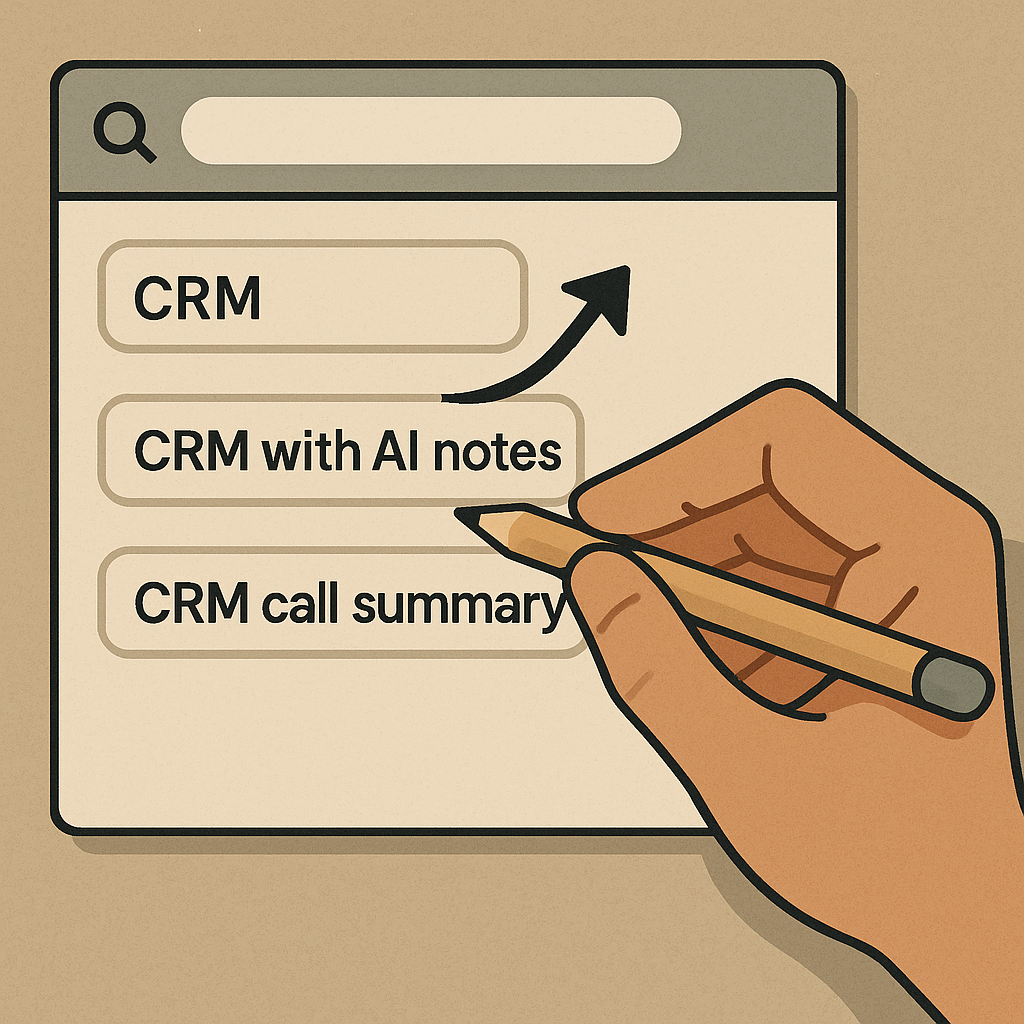
The fastest way I've found to spot a trend early with AI-driven predictive analytics tools isn't a flashy dashboard. It's query drift: the subtle way users' words change before their behavior fully changes. If you're running anything with internal search (SaaS docs, marketplace, help center, even a media site), your search logs are basically a live Deal Radar. The trick is to stop treating queries like a keyword list and start treating them like a conversation where the nouns mutate.
Here's what I do in practice. I pull the last 8 to 12 weeks of queries, bucket them by intent, and then look for new modifiers showing up next to the same core object. "CRM" becomes "CRM with AI notes" and then "CRM call summary". "Headset" turns into "headset low-latency" and then "LC3" or "2.4GHz dongle". When those modifiers first appear, volume is tiny. That's the whole point. You want to catch it while it's still a handful of weird-looking searches that your current taxonomy doesn't even have a field for.
Two tactical checks keep me from fooling myself. First, I compare drift across entry points: homepage search vs. in-app search vs. support search. If the modifier only exists in support, it's often pain, not desire. Second, I read the zero-result queries like hate mail. If "agentic workflow" is showing up and getting zero results, don't ship a blog post. Add a docs stub, a glossary entry, or a comparison table so the next person doesn't bounce. Forecasting is nice, but reducing bounce on day one is money in the bank.
The failure mode is obvious once you've lived it: the model tells you "AI" is trending because everyone is stapling the letters A and I onto everything. Query drift cuts through that. It tells you whether people mean summarization, forecasting, auto-tagging, or just a chatbot on the pricing page.
Cohort creep: the trend isn't new, the buyer is

I've been burned more than once by what looked like an early trend spike in a predictive model, only to realize it wasn't the product changing. The audience changed. I call it cohort creep. It's when a new segment starts interacting with the same feature set, and your analytics tool confidently calls it a "surge" because it sees a shape, not a human.
If you're using an AI forecasting layer on top of product data (Mixpanel-style event streams, GA4 exports, Amplitude-type funnels, whatever your stack is), add one boring step before you brief anyone: slice by acquisition source and by account age. When I do that, half the "trend" stories collapse in five minutes. A partner webinar can dump a very specific type of user into your trial. A big G2 review week can bring in comparison shoppers who behave nothing like your steady-state base. Even a pricing page tweak can filter who signs up. The predictive tool isn't wrong, it's just answering the question you accidentally asked.
My quick-and-dirty method is to build a baseline cohort (accounts older than 60 days) and a newcomer cohort (0 to 14 days), then compare the event that supposedly signals the trend. If only newcomers are doing it, the story might be messaging, not product-market pull. If both cohorts move, now I'm interested. That's when I start looking for the operational signal: support tickets mentioning the same noun, sales calls suddenly needing a deck slide, or a spike in "how do I" docs views.
Where this gets useful for spotting what's next is the opposite case: the behavior doesn't spike overall, but the buyer profile changes. One quarter it's startups hammering an automation feature, and the next it's compliance-heavy teams asking about audit logs, SOC 2 reports, and data retention. Predictive analytics tools will often smooth that out into a flat line. Your job is to notice that the same behavior has a different risk tolerance attached to it. That's the moment to update onboarding, packaging, and roadmaps before competitors start shouting about "enterprise readiness" and you look like you're late.
How I stress-test a vendor's "predictive" claims in 20 minutes

Every predictive analytics vendor demo looks perfect because it's trained on a sample dataset designed to behave. Real data is misspelled, backfilled, duplicated, and tagged by three different interns across two years. So when I'm evaluating an AI trend tool, I don't start with model architecture buzzwords. I start with stress.
I keep a small "ugly pack" ready: one CSV export of raw events with inconsistent naming (think: "signup", "sign_up", "SignUp"), one table of outcomes (retained at 30 days, upgraded, churned), and a handful of notes from support and sales. Then I ask the tool to do three things, in this order:
- Show me leakage risk. I ask what features it's using to predict an outcome and whether any of them occur after the outcome. If a model can "predict" churn using a cancellation event, congratulations, it can read. That sounds silly, but I've seen versions of this sneak in through timestamps and joined tables.
- Handle schema drift without a meltdown. I rename a couple of events and see if the system flags it, auto-maps it, or silently produces a new "trend" because it thinks a new behavior was born yesterday.
- Explain a forecast in plain nouns. Not SHAP charts. Not heatmaps. I want: which behaviors increased, in which segment, over what window, and what comparable historical period it's anchoring to.
Then I do the one check that keeps me honest: I ask it to call out what it can't know. If a vendor implies their model can see "market sentiment" inside your product telemetry, I push back. The safest answer is usually something like: we can detect behavioral shifts, but we can't prove why they happened without context. That's the vendor I trust with a Deal Radar workflow, because they aren't trying to sell me magic.
Finally, I look for operational ergonomics. Can I set alerts on leading indicators (search modifiers, feature discovery events, pricing-page revisits) without turning my inbox into confetti? Can I export the segments to my warehouse so I'm not locked into a black box? Those details don't sound sexy, but they decide whether the tool becomes part of how you work, or a dashboard everyone screenshots once and forgets.